 Clutch
Simple · Effective · Fast
Salesforce Navigator for Lightning
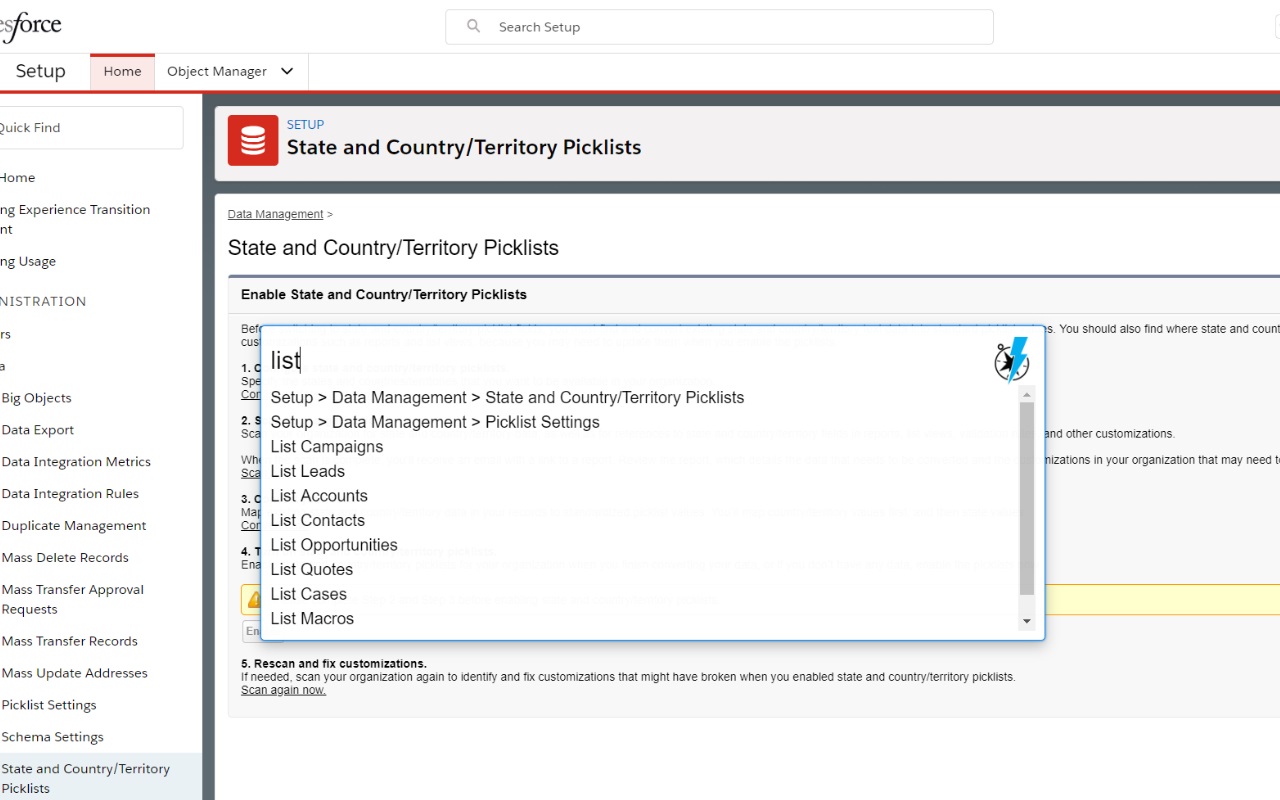
Get more done in Salesforce - list and search records, make new ones, create a task or login as on the fly. This extension helps you get to any Salesforce page quickly. Just type in what you need to do!
Open Source — learn more or contribute on GitHub
Move like ⚡️
Simple, searchable Salesforce
Get more done in Salesforce - list and search records, make new ones, create a task or login as on the fly. Open the Navigator and
⚡️ Switch between Lightning and Classic with "Toggle Lightning"
👤 Login as another user with "Login as "
✔️ Toggle all checkboxes on the page
for when subtracting from a selection is faster
⛙ Use the account merge tool by typing "Merge Accounts "
Call the Classic Account Merge from either interface using the Account you are on and merge Salesforce ID in your clipboard or entered into the command box